
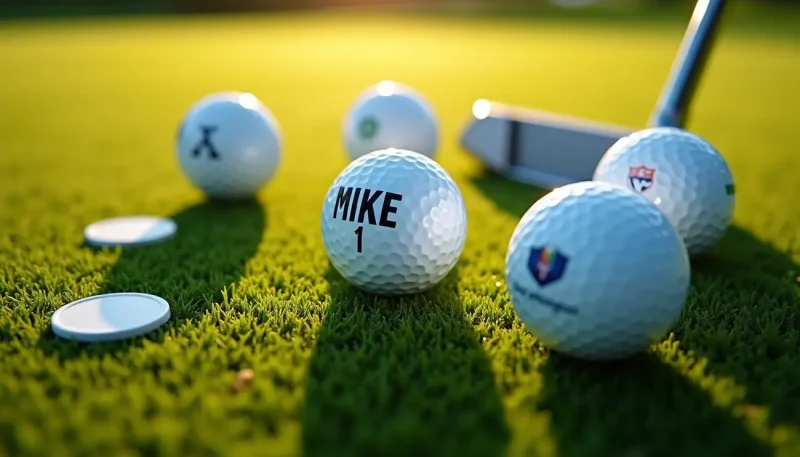
In 2026, custom golf balls have developed into an advanced fusion of personal expression and high-performance technology. Modern personalization goes beyond basic monogramming to include precise company branding, high-resolution photo uploads, and play numbers that correspond with your unique game or business identity.
In this comprehensive 2026 guide, we explore the strategic advantages of personalized equipment. We’ll break down the tiers of customization—from high-fidelity image printing to professional-grade logo integration. You’ll also discover how to align your design with specific ball performance characteristics, ensuring your custom gear performs as well as it looks. Furthermore, we’ll analyze pricing structures, value-driven bundle options like integrated ball-and-tee sets, and professional tips to optimize the value of your custom orders for both personal use and large-scale corporate gifting.
Understanding Custom Golf Balls
What custom golf balls offer
Every golfer faces a problem that personalized golf balls solve: identifying which ball is yours on a crowded course. You can spot your ball instantly by adding unique designs, logos, or monograms. This saves time during play and eliminates confusion when multiple players hit similar shots.
The personalization goes beyond simple identification. Text options let you add names, initials, motivational quotes, or custom messages. Logo capabilities accommodate personal symbols, company branding, or team emblems. You can upload a business logo to cite an instance for corporate events or create balls featuring inside jokes for your regular foursome.
Advanced printing technologies ensure your designs remain sharp and durable through multiple rounds. The ball’s performance stays uncompromised by the customization. You work with the same trusted models used by golfers at every level, just with your personal touch added.
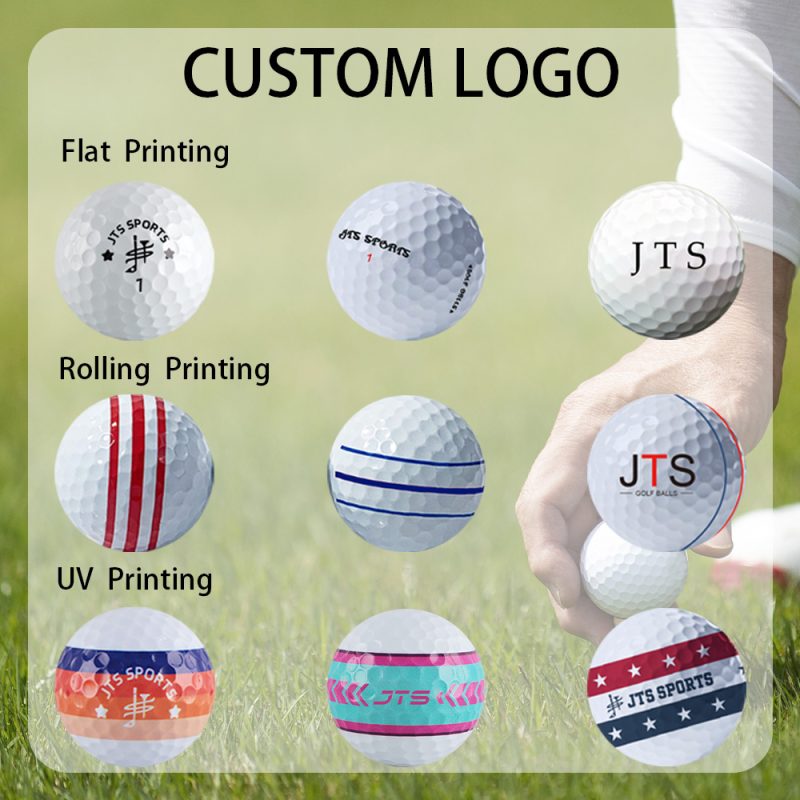
Different customization levels available
The range of personalization options accommodates different priorities and budgets:
- Text-based customization: Add up to three lines of custom messages, with options for multiple fonts and colors
- Logo printing: Upload personal or business logos in various sizes, using up to six colors
- Photo customization: Custom golf balls with picture uploads let you feature meaningful images
- Pre-designed symbols: Choose from over 100 stock icons and graphics without creating original artwork
- Play numbers: Select lucky or personally significant numbers instead of standard options
- Printing sides: Single-sided designs keep costs lower, while double-sided printing maximizes visual impact
Color choices extend beyond the printing ink. You can select different ball colors as your base and then customize the text or graphics to match.
Customization Options Explained
Individual-specific text and play numbers
Text customization lets you add up to three lines of individual-specific messages to your balls. Titleist allows 17 characters per line, and TaylorMade offers 12 characters per line. You can include names, initials, motivational phrases, or inside jokes that make your rounds more enjoyable.
Play numbers go beyond the standard digits. You can select numbers that hold personal significance or bring you luck rather than settling for what comes in the box. This small detail creates a stronger connection with your equipment.
Adding logos to your golf balls
Logo upload services accommodate personal symbols and company branding[61]. You can upload your design using accepted file formats: jpg, png, psd, ai, or pdf. Your image should be at least 600 pixels and 300 DPI to get crisp results.
Logos print at 7/8 inch or smaller to fit the ball’s curved surface. Keep designs around 20 to 25 mm wide to appear optimal. Vector files work better than raster files because they maintain sharpness when resized.
Photo customization options
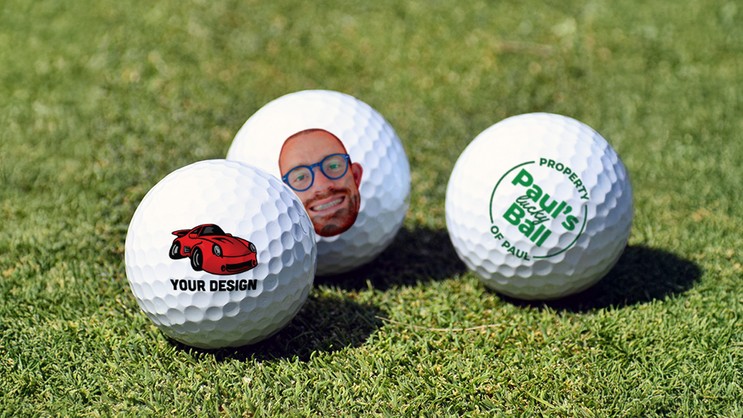
Custom golf balls with picture uploads transform ordinary equipment into memorable gifts. Photos require high resolution, at least 300 DPI, to appear crisp on the small surface area. Images get cropped to circular shapes to match the ball’s curvature.
Pre-designed icons and graphics
Pre-designed options eliminate the need for original artwork. You can select from flags, emojis and various symbols without uploading files or meeting technical specifications.
Single vs double-sided printing
Two-pole printing places designs on two locations of the ball. Simple personalization works with single-sided designs, and double-sided printing accommodates multiple messages or a logo paired with a sponsor mark.
Color and ball type choices
Ball colors extend beyond traditional white. Options include yellow, orange and green variations like forest green and kelly green, plus black. You can match ink colors to your base ball selection for cohesive designs.
Getting Started with Your First Order
Selecting the best ball for your skill level
Match your ball choice to your swing speed and experience level. Beginners benefit from 2-piece construction with low compression ratings between 55-70. These softer balls compress more at slower swing speeds and produce better distance and feel.
Models like Titleist TruFeel, Callaway Warbird, and Bridgestone e6 work well for beginners. Avoid premium urethane balls designed for advanced players. You don’t need the spin characteristics of a Pro V1 when you’re still developing consistent contact.
Creating your design
Online design tools have made customization simpler. After you select your ball model, you’ll access an interactive design interface. Upload your artwork, add text, or select from pre-existing graphics. An instant preview shows how your design appears on the curved ball surface.
Type your message and choose your font for text-only orders. Click the browse button and upload your file for logos. The preview updates right away and lets you adjust placement and sizing before you finalize.
File formats and image quality
Resolution determines print quality. Submit files at minimum 1000 pixels by 1000 pixels. Maintain 300 DPI resolution at the final print size for photographic images. This translates to about 660 pixels across for the 25mm print circle on the ball.
Accepted formats include AI, PDF, EPS, PNG, JPG, GIF, TIF, and BMP. Vector files like AI or EPS scale without quality loss. Raster files work fine if they meet resolution requirements. Maximum file size allowed is 20MB.
Approval and production process
After you place your order, you’ll receive a digital proof within three business days. Review spelling, colors, and design placement with care. Errors in customer submissions cannot be refunded.
Production takes 7-10 business days once approved, with shipping completed within 8 business days of approval. Total turnaround averages 3-4 weeks from order placement.
Conclusion
Custom golf balls aren’t just for professionals anymore. The options I’ve outlined make personalization available and affordable for beginners in 2026. You’ll get practical benefits like easier ball identification. But the real value? You’ll develop a stronger connection with your equipment that builds confidence on the course. Start with a simple text-based design on beginner-friendly balls. Then experiment with logos or photos as you progress. Your game deserves that personal touch.